Skip to content
bradwells.dev

Business Applications · AI Agents · Automation

Better applications.Better systems.Better business.

I help owner-led businesses replace spreadsheets, paper and busywork with simple internal tools and AI agents that save their team hours every week. I can build your website and brand too, but the real wins are inside the business.

  • 20+ years

    leading IT inside operating businesses

  • Builder

    not just an advisor. Eight of the tools I shipped are on this page.

  • AI in production

    agents that read, draft and summarize for real teams, not demos

  • Plain talk

    straight answers, no jargon

Services

Where I help most

Six things I do well. Most engagements start with an internal tool or an AI agent and grow from there. The next section shows what that looks like in practice.

  • 01

    Business applications

    Replace spreadsheets, paper and email threads with simple web tools for tracking, approvals, tickets, receipts and reporting. Built around how your team already works.

  • 02

    AI agents and assistants

    Agents connected to your own information that draft, summarize, route and follow up, plus an AI use policy your team will follow. Useful on day one and safe with company data.

  • 03

    Microsoft 365 and security

    Entra ID, MFA, Conditional Access and email filtering. Close the gaps first, then keep them closed.

  • 04

    Fractional tech leadership

    Strategy, budgets, vendor and MSP management, and software decisions like a new ERP. A tech lead in your corner without the full-time hire.

  • 05

    Websites

    When you need one: a fast, modern site that turns visitors into calls, built by the same person who understands the systems behind it.

  • 06

    Branding

    Logos, colors and a consistent look across everything. Your truck, your site and your quote should all look like the same company.

Work

What this looks like in practice.

Eight chores from one internal platform I built this year for a 150-person construction services company with a dozen locations, and what happened to each of them.

The same platform, by the numbers

  • 15

    legacy modules rebuilt into one application

  • 201

    routes migrated, every one tracked to done

  • 444

    database changes shipped

  • 31

    scheduled jobs running unattended

01

Runs on its own

  • Help desk tickets that handle their own follow-up

    The chore
    One person read every ticket, decided which ones went to the outside IT vendor and forwarded them by email. The vendor's replies lived only in that inbox, so the ticket recorded the ask, not the work.
    What I built
    A rule that sends qualifying tickets to the vendor on its own when IT is out or a ticket sits unattended, and a mailbox reader that pulls every vendor reply back into the ticket as a comment, every 15 minutes.
    What changed
    The person who opened the ticket sees the whole conversation in one place. When the vendor closes their case, ours closes too. Nobody forwards email anymore.
  • Safety training that schedules and chases itself

    The chore
    The safety manager sent each weekly toolbox talk by hand, then watched her inbox for signed rosters and filed them one by one.
    What I built
    Talks are scheduled ahead of time. On the day, the system emails each office's managers the handout, issues upload links for outside crews with no login, and the following Monday reminds only the offices that have not turned in a roster.
    What changed
    Reminders go to the people who owe something, not to everyone. Her job is now scheduling the talks and reviewing what comes back.
  • A company newsletter that assembles itself

    The chore
    The monthly newsletter lived in a code file that one person edited by hand, every issue.
    What I built
    Staff submit stories, photos and nominations in the app. On the first of the month a job locks the filled sections, sets aside the empty ones, drafts the puzzle page with AI and queues the issue for a single review.
    What changed
    Publishing is one approval. The editor reviews the issue instead of building it.
02

One screen instead of five

  • Fifteen tools became one application with one login

    The chore
    The company intranet had grown into 15 separate modules over the years, each with its own copy of the login logic and its own look.
    What I built
    All 201 routes rebuilt into one modern web application with one Microsoft login. Every route was tracked from inventory to done, and a build check now refuses to ship any page without an access check.
    What changed
    One address, one login, one look. 444 database changes shipped along the way.
  • Everyone can see who has access, and ask for it in place

    The chore
    Hitting a permissions wall was a dead end. The person had to work out who to ask, and who had access to what lived in scattered checks nobody could read.
    What I built
    One permissions registry that covers every page, a Who has access panel on every page that answers in plain English by person or by capability, and a request button on every wall that goes straight to the approvers.
    What changed
    Access questions answer themselves. Approvals take one click, are logged, and never grant more than the page needs.
  • Notes on a PDF without the download, edit, upload loop

    The chore
    Marking up a drawing or a document meant downloading it, opening something else, saving a copy and uploading it again.
    What I built
    A viewer inside the app that opens every PDF, with text, drawing, highlight and undo. Notes save as real annotations any PDF reader can show, as a copy next to the original.
    What changed
    One click to open, one click to save. The original is never changed and nothing piles up on desktops.
03

One tap instead of a chore

  • Receipts by phone photo instead of envelopes

    The chore
    Twenty-plus cardholders mailed paper receipts to accounts payable, who matched them by hand against a monthly statement of around 300 transactions.
    What I built
    A phone-friendly page where a cardholder snaps the receipt, picks the branch and taps save. At month end the system matches receipts to statement charges automatically and shows AP only what is left. Cardholders without a login use a link and a PIN.
    What changed
    The envelope is gone. AP starts from the exceptions instead of the pile.
  • A Word form becomes a fillable web form in one upload

    The chore
    The safety manager had eleven Word forms and wanted them on the web without rebuilding each one by hand.
    What I built
    She uploads the document, an AI model reads the questions and proposes a draft web form with the right field types, and nothing publishes until she has reviewed it.
    What changed
    A new form is an upload and a review, not a build request. Submissions arrive as data, not paper.

How I work

Small steps, working results, and a partner who stays useful.

  1. Step 01

    Assess

    A short review of your systems, your risks and the work your people repeat every week. You get a plain-language list of what to automate or fix first, and why.

  2. Step 02

    Build

    I do the work hands-on. You see something working early and shape it as we go, instead of waiting months for a big reveal.

  3. Step 03

    Hand off

    Documentation, training and a clean handoff to your team or your IT provider, with the option to keep me on for what comes next.

Who it's for

Built for businesses that do real work.

Businesses I work with

  • Contractors and the trades
  • Manufacturers and job shops
  • Field service companies
  • Local professional firms: law, accounting, engineering
  • Owner-led companies from a few people to a few hundred

You'll like working with me if

  • You want straight answers, not a sales pitch.
  • You'd rather own your tools than rent someone else's.
  • You need someone who has run IT inside a real business, not just advised one.
  • You want things done, not another round of meetings.

Ways to work together

Start small, then keep going

Every engagement starts with a free 30-minute call. No two businesses are the same, so there is no rate card: every quote is built around your scope and what you actually need.

  • Technology Assessment

    Fixed fee, quoted after our first call

    A focused review of the work your team repeats, your systems, security and AI readiness, with a prioritized action plan you can hand to anyone.

    • Plain-language findings
    • Prioritized fix list
    • Budget-level estimates
  • Project Build

    Priced per project, to the scope we agree on

    One defined outcome: an internal app, an AI agent, an automation, a security hardening rollout, or a new website when that is the job.

    • Fixed scope and timeline
    • Working software early
    • Docs and training at handoff
  • Fractional Tech Lead

    Monthly, sized to the role you need

    A standing seat at your table without a full-time hire. I keep what we built running, build the next tool or automation when the business needs it, and handle strategy, vendors, security and AI direction along the way.
    • Monthly planning and priorities
    • The next tool or automation, built
    • Vendor, security and AI direction
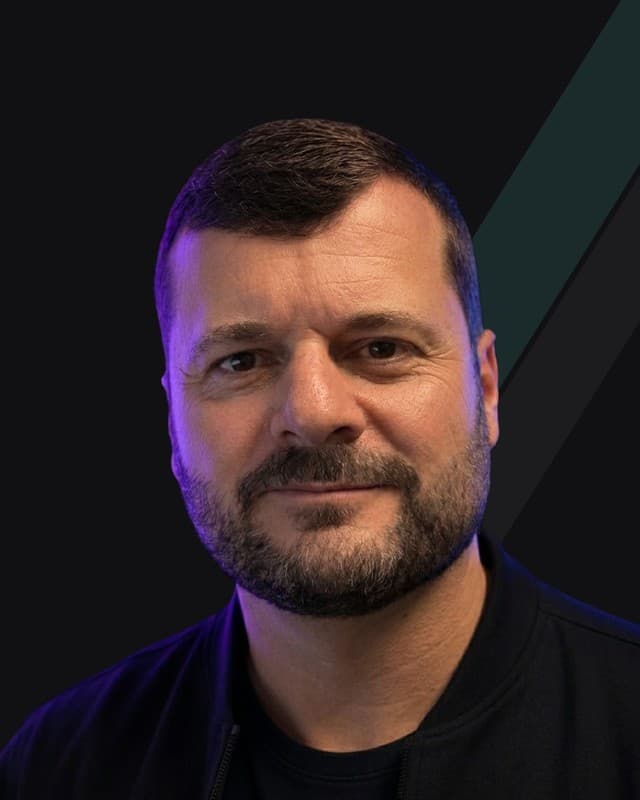
Brad Wells

About

I've been the IT department. Now I help yours.

I'm Brad Wells. For more than twenty years I've led technology inside working businesses: the kind with field crews, shop floors and front offices, where downtime costs real money and nobody has time for a vendor's slide deck.

This year I rebuilt the internal platform for a 150-person construction services company: one application in place of fifteen, with the automations and AI assistants in the Work section above. That building is the part I like most. I've also done the less glamorous side, company AI policies, Microsoft 365 and Entra security hardening, vendor and MSP management and ERP evaluations, so I know what works in a business that isn't a tech company, and what just makes noise.

I'm based in North Carolina and work remote. On-site availability is limited, so we plan any in-person time up front. I work best with owners who want straight answers and a partner who does the work alongside them.

FAQ

Questions owners ask first

Yes. I'm based in North Carolina and the work happens remotely. On-site availability is limited, so I reserve it for the moments that call for it, like a kickoff, a rollout or training, and we agree on that up front.

Contact

Tell me what's slowing you down.

A 30-minute call, no pitch. If I'm not the right fit, I'll say so and point you to someone who is.

No newsletter, no spam. Just a reply from me.